| Title | Choo Choo Charles |
|---|---|
| Developer | Play Here |
| Release Year | 2025 |
| Category | Horror Games |
| Platform | Web Browser |
| Price | Free |
Browser Build Controls
Keyboard controls from the Playhop listing.
PC
| Train Controls | Steer and change train direction on time along the tracks |
|---|---|
| Shooting Mode | Switch to turret view to fire back at Spider Charles |
| Aim Joystick | Move down to aim up, and move up to aim down while shooting |
Survival Tips
- Practice the inverted turret aim right away: moving the joystick down aims upward, and moving it up aims downward.
- Change your train direction early when approaching junctions so you do not get trapped on a bad stretch of track.
- Switch to shooting mode the instant you hear or spot Spider Charles closing in behind your engine.
- Invest in upgrading your train whenever missions allow so you can withstand heavier attacks.
- Keep your eyes on both the track ahead and the open terrain beside you, because Charles can rush in from unexpected angles.
How to Play Choo Choo Charles Online
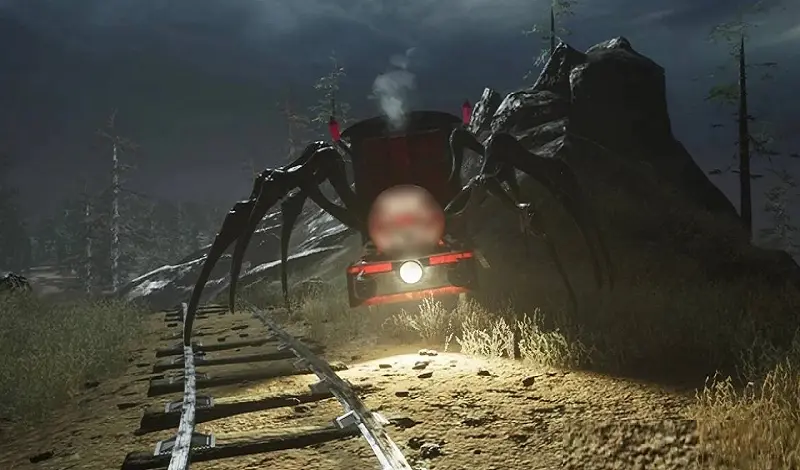
Choo Choo Charles drops you onto the rails in control of your own train, steering through wide landscapes while completing risky missions and upgrading your ride. Your engine is both your transportation and your lifeline as you cross open territory.
Nothing stays peaceful for long. The menacing Spider Charles stalks the tracks relentlessly, forcing you to juggle driving decisions with fast defensive fire whenever the spider-train lunges out of the distance.
Choo Choo Charles Controls and Inverted Turret Aiming
Winning in Play Here’s Playhop build comes down to sharp timing between two modes: driving your train and switching into shooting mode to repel Charles. Changing train direction on time keeps you out of danger and aligned with mission routes.
One crucial detail called out on the Playhop listing is the shooting aim axis: while firing at Charles, moving the joystick down aims your gun up, and moving the joystick up aims down. Getting comfortable with that inverted vertical aim early makes every ambush much easier to survive.
Tips for Outsmarting Spider Charles
Every decision on the rails shapes how cleanly you survive an encounter. Wait too long to switch to your gun and Charles closes the gap; focus only on shooting and you can miss a critical direction change.
Treat early stretches of track as a warmup to test direction switches and turret tracking before tackling tougher missions.
- Adjust your vertical aim slowly at first until the inverted joystick feels natural.
- Upgrade your train as early as possible to improve durability and firepower.
- Switch back to track control right after forcing Spider Charles to retreat.
Is This the Official Choo-Choo Charles Game?
No. The original Choo-Choo Charles was developed by Two Star Games for PC and consoles. The game playable here is a browser adaptation developed by Play Here and published on Playhop on March 1, 2025.
It brings the signature train-versus-spider-monster premise into an instant web build for players who want quick browser action without a full PC install.
Frequently Asked Questions
Does Choo Choo Charles need a download?
Yes. Play Here’s Playhop browser edition lets you drive the train and battle Spider Charles directly in your browser.
Why does the aiming feel inverted in Choo Choo Charles on Playhop?
The Playhop controls intentionally use inverted vertical aiming in shooting mode: move the joystick down to aim up, and move it up to aim down.
How do you fight back against Spider Charles?
Change your train direction on time to stay ahead, then switch into shooting mode to fire at Charles until he backs off.
Can you upgrade your train in this version?
Yes. Enhancing your train is part of preparing for tougher missions and surviving Charles’s attacks.
Is this the official Two Star Games release of Choo-Choo Charles?
No. Two Star Games made the original Choo-Choo Charles. Play Here built this browser version for Playhop.