






| Playhop version by | Play Here |
|---|---|
| Original game | Granny 3 by DVloper |
| Original Android release | June 3, 2021 |
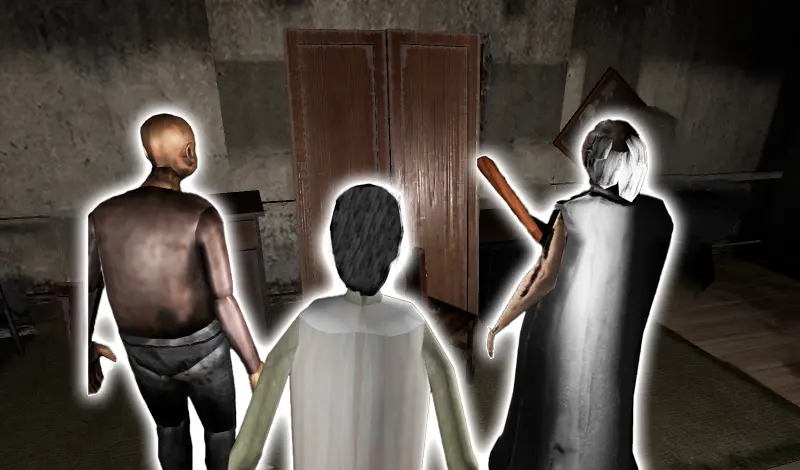
| Enemies | Granny, Grandpa, and Slendrina |
| Starting attempts | Five |
Browser Build Controls
Keyboard controls from the Playhop listing.
PC
| WASD | Move around the house and grounds |
|---|---|
| R | Hide under a bed when you’re close enough |
| E | Interact with objects |
| C | Crouch |
| Space | Throw the held item |
Survival Tips
- Look at the floor or a nearby wall as soon as Slendrina appears.
- Move between walls and corners when crossing the yard. Grandpa can see you from a distance.
- Throw an item away from where you need to go. Wait for Granny to investigate before leaving cover.
Three threats to watch for
Granny investigates noise, including dropped objects. Grandpa is less sensitive to sound, so a distraction can still leave him in your path. Slendrina can appear while you’re doing something else. Turn away as soon as you see her.
You have five nights to escape. Learn where you can hide before taking tools out into the open.
Practice with fewer enemies
In the Playhop build, use the menu to disable individual enemies or turn all of them off. Explore the compound and learn how to get back to cover before playing with all three active.
Frequently Asked Questions
What do you do when Slendrina appears?
Turn the camera away immediately and keep looking away until she disappears.
How long do you have to escape Granny 3?
The Playhop version gives you five nights.
Can you turn the enemies off in Granny 3?
The Playhop build lets you disable some or all of the enemies from its menu.