
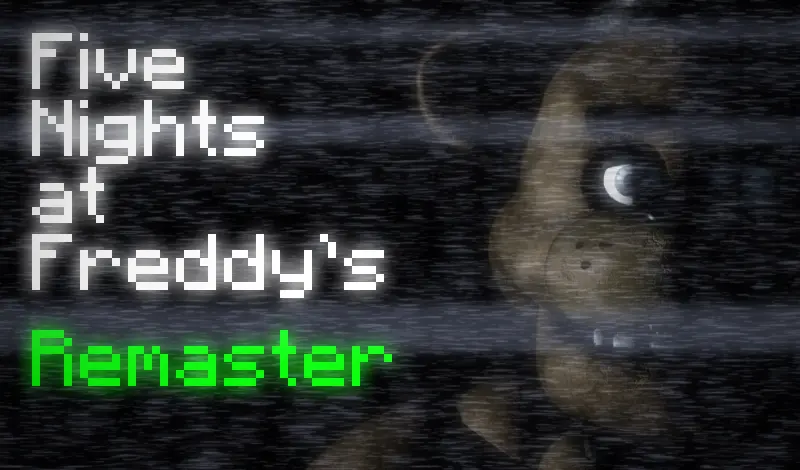




| Title | Five Nights at Freddy's |
|---|---|
| Developer | truelisgames |
| Release Year | 2022 |
| Category | Mascot Horror |
| Platform | Web Browser |
| Price | Free |
Browser Build Controls
Keyboard controls from the Playhop listing.
PC
| Mouse | Scan the security office and switch camera feeds |
|---|---|
| Left Click | Close or open office doors and operate lights and monitors |
Survival Tips
- Check the surveillance cameras in quick glances so you track animatronic movement without leaving your office unattended.
- Close the office doors only when an animatronic is actually threatening your entrance, then reopen them once the hallway clears.
- Pay attention to which animatronics leave the stage first on each night so you learn their movement patterns.
- Keep your cursor near the door controls during the final hours between 4:00 AM and 6:00 AM when attacks speed up.
- Listen closely for audio cues in the restaurant, which often warn you before you even flip up the monitor.
How to Play FNAF Online Free
Five Nights at Freddy’s (FNAF) seats you inside a cramped restaurant security office with a single nerve-wracking task: hold out from 12:00 AM until 6:00 AM while animatronic mascots roam the building. You cannot walk away from your post, so survival depends entirely on awareness and timing.
Using the surveillance cameras placed around the restaurant, you monitor where the animatronics move in the dark and slam the office doors shut whenever one closes in on your room. Along the way, subtle details hint at the eerie mysteries behind the animatronics themselves.
FNAF Office Controls and Camera Strategy
In truelisgames’ Playhop browser build, everything runs smoothly with your mouse and Left Click. Flip between camera feeds to spot empty stages or hallway movement, check your doorways, and trigger the door locks to repel incoming attacks.
Good camera discipline separates a calm 6:00 AM finish from a sudden jumpscare. Instead of clicking through every single room on every check, focus on the cameras that confirm where the active animatronics are right now.
Tips for Surviving Until 6:00 AM in FNAF
Early nights give you room to learn how fast each mascot approaches and how quickly you can react when a hallway goes quiet. As later nights pick up speed, staying rhythmic and calm beats frantic clicking.
Never leave doors sealed longer than needed, and always double-check both sides of your office right after dropping the camera monitor.
- Watch for missing figures on stage so you know who is already moving.
- Close the door immediately when an animatronic reaches your doorway, then reopen once safe.
- Stay focused through the final hour from 5:00 AM to 6:00 AM when pressure peaks.
Is This the Official Five Nights at Freddy’s?
No. The original Five Nights at Freddy’s was created by Scott Cawthon in 2014 for PC and mobile. This browser edition is published on Playhop by truelisgames (first published February 2, 2022) and is one of the most played FNAF browser builds on the platform.
It delivers the core midnight-to-6-AM camera surveillance and door-defense loop directly in your browser without a download.
Frequently Asked Questions
How do you win a night in Five Nights at Freddy’s?
Monitor the restaurant’s security cameras, close your office doors to repel animatronic attacks, and survive from 12:00 AM to 6:00 AM.
Does this Five Nights at Freddy’s office shift need a download?
Yes. truelisgames published this office shift on Playhop, and it runs in the page without an installer.
How do you stop the animatronics from entering the office?
Track their movement on the surveillance cameras and click the office door controls to shut them out when they approach.
Is this the official Scott Cawthon release of FNAF?
No. This is an unofficial browser version published by truelisgames on Playhop, based on Scott Cawthon’s original Five Nights at Freddy’s.
What are the controls for FNAF in a browser?
Use your mouse and Left Click to look around the office, switch surveillance cameras, and close or open the security doors.